

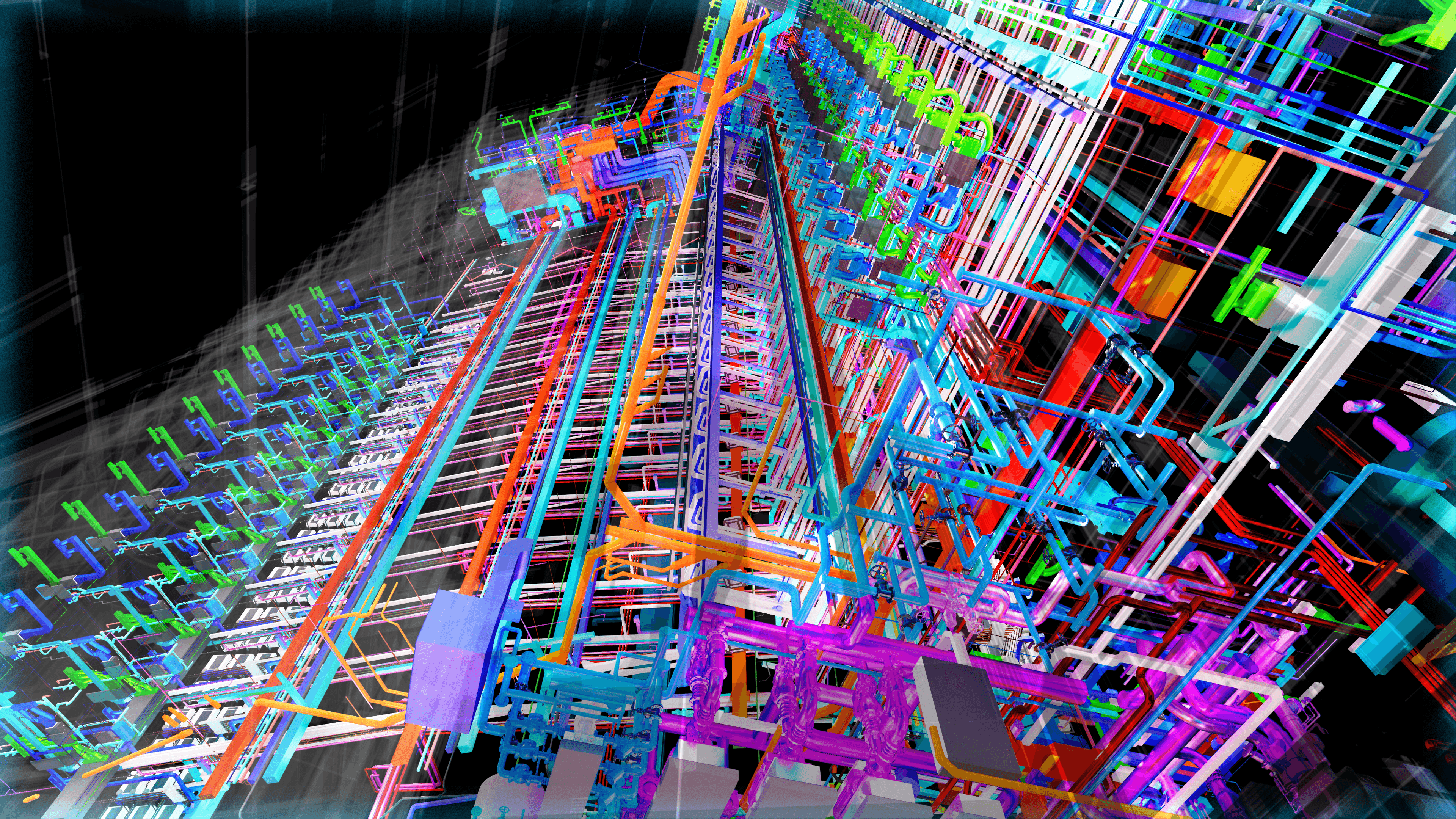
Automate Revit
— with AI Precision
LPOpenBIM supercharges MEP engineers with 54 AI-powered plugins. From CAD-to-duct automation to smart fitting pipelines — cut 60% of repetitive tasks across Revit 2022–2026.
MEP Automation
CAD + View + Utility
Active tools
54+ Plugins
Revit Support
2022–2026
Sản phẩm
Công cụ dành riêng cho kỹ sư BIM
Plugin Revit chuyên dụng, tích hợp liền mạch vào quy trình làm việc, vận hành bằng AI và hiệu năng .NET.
Addin Revit MEPF
Tự động hóa MEP với 54 công cụ: định tuyến ống gió, fitting ống nước, máng cáp, đặt sleeve, tag & sheet tự động, bóc khối lượng BOQ xuất Excel, crop view theo Grid/Link/Region — độ chính xác dưới milimet.
60%
Tiết kiệm thời gian
0.1mm
Độ chính xác
Addin Revit Arc - Str
Tự động tạo cột, dầm, tường, sàn, móng từ CAD. Chia zone, tạo sleeve, excavation và bóc khối lượng — 30 công cụ cho kiến trúc & kết cấu.
30
Công cụ
2020–2024
Revit hỗ trợ
Danh mục công cụ
Addin Revit MEPF
56 công cụ tự động hóa cho kỹ sư MEP — Ống gió, Ống nước, Máng cáp, Điện, Tag & Sheet, Khối lượng. Pick, tự động, xong.
Create Branch Duct
Pick polyline CAD → tính OBB → tạo ống gió chữ nhật với chiều rộng từ layer mapping.
Branch Duct from CAD
4 chế độ: Riser+Branch / Branch-only / Auto-Layer / Pick→Scan. Parse kích thước từ CadTextCache.
Branch CableTray
Tạo máng cáp từ CAD hatch, auto-layer scan, hoặc đọc DWG trực tiếp. Tự động loại bỏ trùng lặp.
Pipe from CAD
DockablePane 'Pipe Creater' — pick polyline CAD → tạo Pipe với slope (drainage 1-2%) + 3-pass fitting (Elbow/Tee/Wye reflect AutoConnectY). Smart-skip slope card cho hệ áp lực (CHWS/CW/FP). Regex DN + prefix ('CDP DN32'). BFS propagation + fallback dialog.
Duct Riser
Pick xen kẽ: Riser (ống đứng) → Branch (ống ngang) → tự động tap nối. Tạo ống gió giữa các tầng.
Create Grill
Tự động phát hiện FCU/VAV → tính điểm tap (hạ 400mm) → đặt miệng gió + ống nhánh.
Draw Multy Pipe
Nhập số lượng, đường kính, khoảng cách, cao độ → pick 2 điểm → tạo N ống nước song song.
Auto Detail FCU
Quét FCU/VAV → tự động vẽ kết nối cấp/hồi/xả + ống nhánh + fitting cho ống nước.
Pipe Auto Parallel
Vẽ CHWS → tự hỏi tạo CHWR song song. Spacing từ web: DN32+ = 100mm mép-mép. Hỗ trợ CWS↔CWR, HWS↔HWR, CDS↔CDR.
CableTray Parallel
Vẽ MV → tự hỏi tạo EV/ELV song song. 2 options: Trên/Dưới (đáy cách đỉnh 100mm) hoặc Ngang (mép-mép 100mm). Chọn 1 hoặc nhiều hệ.
BW Type Creator
TreeView chọn hãng + ampere → tạo Busway duct type với đúng W×H. LS Electric, Schneider, I-LINE H. Không cần transition routing.
AutoConnect MEP
MEP Hybrid — pick liên tục theo cặp → tự động nhận diện loại → tạo đoạn dọc + co nối.
Tab Elbow Duct
Phát hiện fitting tự động: 3 bước Transition → Elbow → Tap. Loại bỏ xung đột bằng spatial hash.
Auto Transition
Pick 2 ống gió → tìm connector gần nhất → tạo Transition fitting. Hỗ trợ vuông↔tròn.
Check Duct Elbow v4
Phát hiện co nối 3 bước. Khoảng cách 4000mm. Debug trực quan: vàng=elbow, xanh=tap, đỏ=transition.
Auto Spacing
Cân đều khoảng cách mép-mép: Ngang | Dọc cách đều | Align đáy. Pick trục cố định → các ống khác tự dời đều.
MoveConnected
Tự động extend endpoint ống đến fitting connector. Close gap sau khi tạo elbow/transition.
Auto Connect Y
Kết nối Y 45° cho ống thoát nước + Tê 90° cho ống thông hơi. Direct 5-step cascade (45°→extend main→90°). Hỗ trợ drain+drain (NTC_Y uPVC) và vent+drain (NTC_Tê uPVC). Auto rotation bằng atan2, SafeBreakCurve, TrimConnect 3D perp.
CAD Inspector
Kiểu Revit Lookup — hiển thị cây geometry, mở rộng/thu gọn, xem thuộc tính, tô màu highlight.
CAD Layer Query
Pick CAD → nhóm theo layer → phân tích tương tác: phân loại hình, xác thực, tô sáng.
Check Layer CAD
Duyệt geometry CAD → trích xuất layers, số lượng element, kiểu đồ hoạ, phân tích khoảng cách.
Sync Extract
6-tab viewer: Duct/Pipe/Electrical/Other/Blocks/Summary. Đồng bộ DWG text extraction với Revit elements.
SyncExtract Viewer
6 tab: Ống gió/Ống nước/Điện/Khác/Block/Tổng hợp. Quét lại DWG và cập nhật text cache.
DWG Text Extractor
CLI đọc DWG độc lập (.NET 8). Trích xuất TEXT/MTEXT/ATTRIB/BlockRef qua ACadSharp → JSON.
Auto Isolate View
Tô màu MEP theo hệ thống (HVAC/Cấp thoát nước/Điện). Bật/tắt từng hệ → Áp dụng màu.
Apply Filter View
Quét tất cả view filter trong dự án → gán/gỡ filter nhanh cho view đang xem.
Check Clash
MEP clash detection: pick MEP + pick beam → 14 actions (Move UP/DOWN/CutAndMove). Section view tự tạo. Priority R1/R2/R3.
Auto Crop View
Crop plan view tự động theo 5 chiến lược: Grid (union Grid host+link), Link (multi-select bbox + fallback scan), ScopeBox (linked auto-sync), Area (boundary bbox), PickBox (drag rectangle). ViewTemplate auto-unlock. Shared lib CropGeometry DRY với AutoSleeve. Free tier.
Auto Loop Clash
Pick loop reroute: 45° Diagonal hoặc 90° Vertical. Lên trên / Xuống dưới. Tự động né beam + tạo elbow.
Copy Infor
2 chế độ: copy W×H/cao độ/hệ thống nguồn→đích, hoặc copy cao độ ống gió→thiết bị.
Copy Text Infor
Đọc CadTextCache → phân tích kích thước + chống cháy → pick áp vào ống gió với xem trước.
Coppy Super
Sao chép thuộc tính MEP: kích thước, loại, offset, cách nhiệt. Nguồn → nhiều đích hàng loạt.
Change System Type
Đổi loại hệ thống hàng loạt. Tự phát hiện chọn đơn/nhiều. Tải danh sách hệ thống khả dụng.
Change Service Type
Hybrid: không chọn gì → set hệ để vẽ mới. Tab chọn CT/Ladder → gán Service Type toàn bộ + phụ kiện + màu cho ALL views.
Auto Insulation
Tự động gán cách nhiệt + chống cháy theo TCVN 5687. SAD/RAD → 25mm Glass wool. SED/PAD → EI 120 Rock wool. Pipe theo DN.
Auto Duct Type
Tự đổi duct type theo size: ≤300mm → Tap_C | >300mm → Tap_TDC Flanged. Pipe type từ web mapping (WP → TienPhong).
Fabrication Specs
Tự ghi FAB tag vào Comments: Tole 0.8mm | Thép góc 25×25×3 | Ty treo D8 | KC treo 2500mm. Data từ web TCVN 5687/SMACNA.
Auto Color CableTray
Tự set màu theo Service Type: MV=Đỏ, EV=Cam, ELV=Xanh, BW=Vàng. Apply ALL views (2D + 3D). Theo QĐ 347/BXD.
Auto Sleeve
Đặt sleeve tự động cho MEP xuyên wall/beam/floor ở linked model. Section Manager WPF grouped by Level + cut plane MEPF semantic (MAX beam bottom − 50mm) + auto-highlight on Update + section persistence. IUpdater recovery khi user xóa sleeve ngoài tool.
Auto Split
Cắt nhiều Duct/Pipe/CableTray bằng cut-plane qua pick-1, autoloop pick-2..N. Hỗ trợ đồng thời Duct/Pipe/CableTray trong 1 session. Button nằm ở Tag & Section panel.
Auto Spacing Pro
Bản modeless 3 tab của Auto Spacing — cân đều mép-mép, align đáy đa trục, vừa thao tác Revit vừa chỉnh thông số.
Duct Creator Dock
DockablePane vẽ ống gió từ polyline CAD — pick liên tục không chặn view, size theo layer mapping.
Auto Connect Bend
Drop-riser thoát nước 8 trường hợp: 45°/90°, FD+Tee, Riser Tap 2-pick, Vent cổ cò 2-Tee, Wye đứng, Vent to Riser. Tự scan sàn/dầm từ linked model.
Auto Connect Elbow PPR
Tạo đầu chờ PPR hàng loạt: pipe ngang → ống đứng + elbow + đầu chờ tại mặt tường (near-face, OD thật). Lưu lịch sử + nút Update tất cả theo cao độ mới.
Auto Connect Sprinkler
Nối sprinkler vào ống chính tự động — tạo ống đứng + fitting theo cao độ đầu phun.
Auto Connect Up/Down
Nối 2 ống gió lệch cao độ bằng đoạn đứng + 2 elbow tự động.
Drain Bend Flip
Xoay bend/elbow thoát nước về đúng hướng dòng chảy. 2 nút: Fix (smart picker) + Rotate All (align toàn bộ). Batch đồng bộ, dialog whitelist modeless.
Auto Change Level
Đổi Reference Level theo cao độ thực, GIỮ NGUYÊN Z. Ép về 1 level, Split riser theo tầng (ngưỡng size từ SettingMEPF), Set Riser thủ công/tự động.
Create Tag Section
Auto tag MEP trong Plan/Section — L-shape leader, align-in-row, 4 nút SHIFT theo gap mm, IUpdater giữ vị trí user đã chỉnh. Batch pick cùng category.
Auto Tag Smart
Tag hàng loạt theo nhóm element — leader vuông góc, exclude/xóa theo vùng pick, tự đếm lại, force-tag chỗ đổi cao độ.
Dim Vertical
Tạo dimension cao độ tự động trong section cho cấu kiện MEP đã pick.
Sheet Manager
Tạo bộ bản vẽ tự động: Cover + Sheet List + N sheets theo 4 concept template, gán view, revision tracking, Sheet List Schedule. Free tier.
BOQ — Bảng Khối Lượng
Bóc khối lượng 17 loại cấu kiện MEP — TreeView grouping theo tầng/hệ, xuất Excel bulk-write siêu nhanh, ACMV Mapping Hub, lịch sử file theo từng model Revit.
Setting MEPF
Trung tâm cấu hình hệ MEP: abbreviation, ngưỡng riser, routing — preset theo dự án, đồng bộ 2 chiều với web.
Tranfer Parameter
Copy parameter hàng loạt giữa elements — tự nhận selection realtime, tìm kiếm 2 chiều, 17 nhóm category MEP.
Rename Family By Prefix
Đổi tên Family/Type hàng loạt theo prefix quy ước đặt tên — xem trước trước khi áp.
56
Lệnh Revit
12
Event Handler
5
Phiên bản Revit
3
Gói bản quyền
Danh mục công cụ
Addin Revit Arc - Str
30 lệnh cho kiến trúc & kết cấu — tạo cấu kiện từ CAD, chia zone, sleeve tự động, bóc khối lượng. Dưới đây là 25 công cụ tiêu biểu.
Reload CAD
Reload file CAD đã link vào Revit từ đĩa. Cập nhật thay đổi mới nhất từ file gốc.
Open CAD
Mở file CAD gốc bằng AutoCAD/TrueView. Chọn CAD link → mở bằng phần mềm mặc định.
Open Folder
Mở thư mục chứa file CAD gốc trong Windows Explorer.
Import CAD
Import hoặc Link file CAD (.dwg) vào Revit với cấu hình tuỳ chọn.
Assign Text
Gán nội dung text annotation vào parameter Comments của cấu kiện gần nhất theo khoảng cách.
Auto Join
Tự động join các cấu kiện giao nhau: Wall, Floor, Beam, Column, Foundation.
Login
Đăng nhập tài khoản để kích hoạt toàn bộ chức năng. Xác thực qua API, lưu token tự động.
About
Hiển thị thông tin phiên bản, nhà phát triển và thông tin liên hệ.
Floor By Room
Tự động tạo sàn (Floor) từ biên phòng (Room boundary). Chọn Room → chọn Floor Type → tạo.
Ceiling By Room
Tự động tạo trần (Ceiling) từ biên phòng. Chọn Ceiling Type, cao độ theo Upper Limit.
Wall By Room
Tự động tạo tường dọc theo biên phòng. Chọn Wall Type, chiều cao. Tránh tạo trùng tường có sẵn.
Create Kicker
Tạo phần đổ bê tông chân tường (kicker). Tính góc xoay theo hướng tường, gán NTC_Width/Height.
Disallow Join Wall
Tắt join tại hai đầu tường. Giữ nguyên hình dạng mặt cắt tại các góc giao nhau.
Create Column
Tạo cột kết cấu từ hatch CAD chữ nhật. Tự nhận dạng kích thước, góc xoay, tạo/tìm ColumnType.
Create Wall (CAD)
Tạo tường từ hatch CAD. Hỗ trợ hatch 4 cạnh (chữ nhật) và >4 cạnh (phức tạp). Query Layer bằng pick.
Create Beam
Tạo dầm từ 2 đường song song CAD. Merge đoạn cùng phương, ghép cặp tính centerline + chiều rộng.
Create Floor (CAD)
Tạo sàn từ hatch/polyline CAD. Hỗ trợ sàn có lỗ thủng bằng Boolean operations. Validate self-intersection.
Create Foundation
Tạo đài móng từ hatch/polyline CAD. Sử dụng FloorType có IsFoundationSlab = true.
Create Lining
Tạo lớp lót bê tông (concrete lining) cho móng, sàn, dầm. Cấu hình chiều dày và vật liệu.
Excavation
Tạo khối đào đất xung quanh cấu kiện ngầm. Offset theo taluy, Boolean operations, tính khối lượng.
Beam Type (Excel/OCR)
Tạo hàng loạt Beam Type từ Excel hoặc ảnh (Tesseract OCR). Auto-detect cột Mark, Width, Height.
Disallow Join Beam
Tắt join tại hai đầu dầm. Giữ nguyên hình dạng tại các nút giao kết cấu.
Divide By Zone
Chia cấu kiện theo zone (Generic Model solid). Cắt dầm/tường/sàn tại biên, gán NTC_Zone.
Generic Model Link
Tạo Generic Model từ geometry trong file Revit link. Transform tọa độ, validate geometry.
Create Sleeve
Tự động tạo ống chờ (sleeve) tại giao cắt MEP và kết cấu. Auto/Manual mode, 4 loại family.
30
Lệnh Revit
4
Panel Ribbon
5
Phiên bản Revit
12
Tạo từ CAD
Cách hoạt động
Chạy được trong 3 bước
Từ đăng ký đến tự động hóa trong Revit — tính bằng phút, không phải tuần.
Đăng ký tài khoản
Tạo tài khoản portal bằng email hoặc Google, hoàn thiện hồ sơ (công ty, vai trò). Gói Free dùng ngay, không cần thẻ.
Tải bộ cài + nhận key
Tải installer MSI ở mục Downloads và nhận license key gắn theo máy. Cần thêm thời hạn hoặc mở thêm tool — gửi yêu cầu gia hạn ngay trong portal.
Kích hoạt trong Revit
Cài MSI, mở Revit 2022–2026 → nhập key ở tab LPOpenBIM. Ribbon hiện 54 công cụ MEPF; bản quyền tự đồng bộ với server mỗi 60 giây.
500+
Integrations & plugins
Active in 40+ countries
The Protocol
Built on an Open Ecosystem
LPOpenBIM is not a black box. Our open .NET SDK and REST API let you build custom automations, connect third-party tools, and extend every workflow to match your team's exact needs.
- REST API + WebSocket real-time sync
- Works with Revit 2020–2026
- Open .NET SDK for custom integrations
- IFC / BIM360 / ACC compatible
- Multi-tenant license management
Pricing
Plans that work best for your workflow
Start free, scale when you're ready. No hidden fees. Trusted by BIM teams worldwide.
Free
- Full RevitMEPF Suite
- Community Support
- 1,000 tokens/month
Free includes:
- filter objects
- boq
- hvac
- all tools
Pro
- Full RevitMEPF Suite
- Advanced Routing Algorithms
- Priority 24/7 Support
- 50,000 tokens/month
Everything in Free, plus:
- filter objects
- boq
- hvac
Enterprise
- All LPOpenBIM Tools
- Custom .NET API Access
- Unlimited tokens
- Dedicated Support
Everything in Pro, plus:
- filter objects
- boq
- hvac
- all tools
- api access
Testimonials
Loved by BIM Professionals
Join thousands of engineers who automate smarter with LPOpenBIM.
“LPOpenBIM cut our duct routing time by 65%. What used to take an entire afternoon now completes in under 10 minutes. It's the most impactful tool we've added to our stack.”
Alex Kim
Senior MEP Engineer · StructuraCorp
“The precision is unreal. We went from constant clash issues to zero errors on our last three hospital projects. The AI understands MEP constraints better than most junior engineers.”
Sophie Laurent
BIM Manager · Arcadia Design Group
“The open .NET SDK let us build custom workflows on top of LPOpenBIM in a week. It's the platform we've been waiting for — extensible, reliable, and blazing fast.”
Raj Nair
Construction Technology Lead · BuildFuture Ltd.
FAQ
Frequently Asked Questions
Everything you need to know before getting started.
Ready to Automate Your Architectural Future?
Join 12,000+ MEP engineers who have already transformed their Revit workflow with LPOpenBIM.